Forklift Advanced
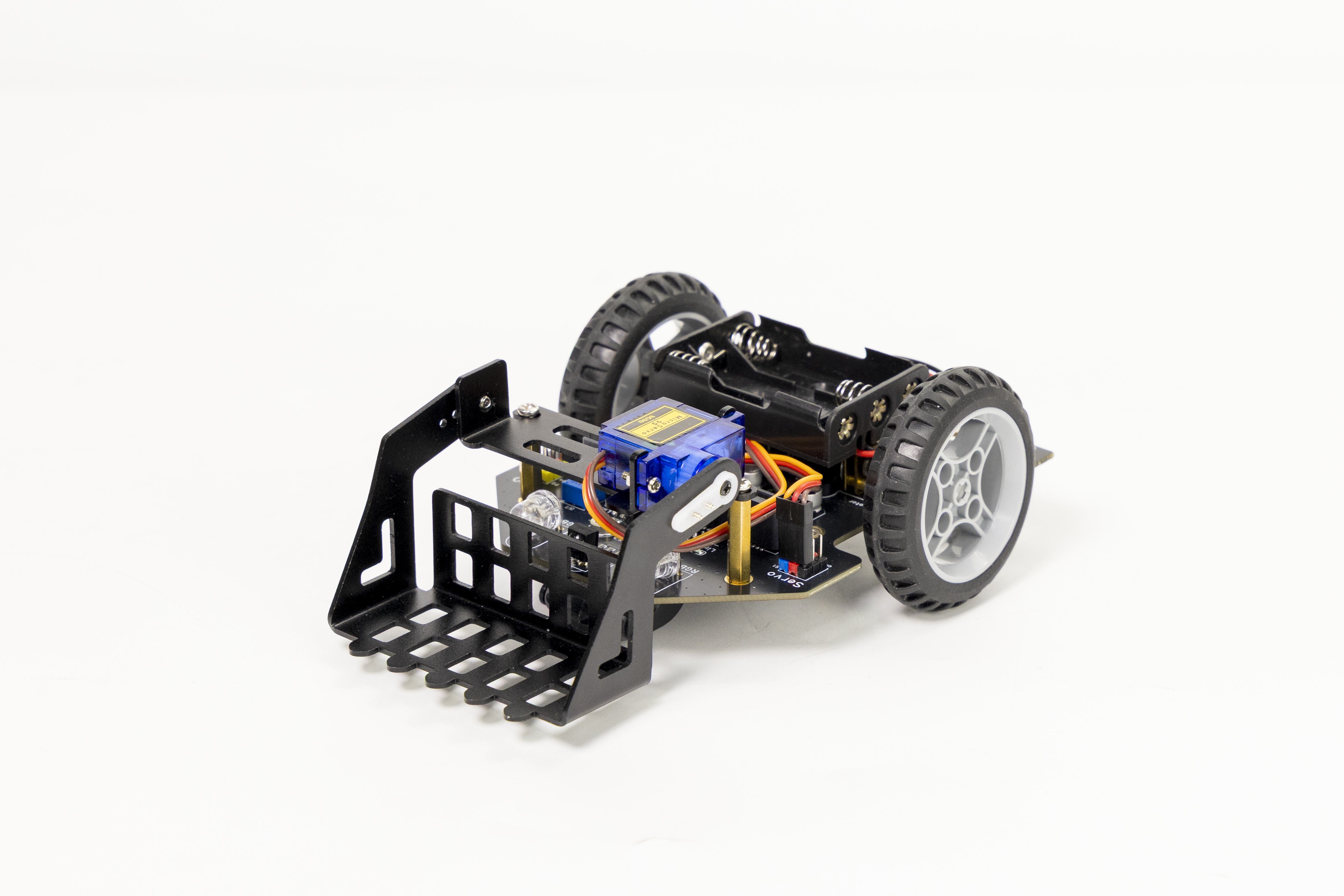
First, we should install the forklift accessories. Click here to jump to the Forklift Assembly section in Car_Assembly.
1. Integrated Demo_V1
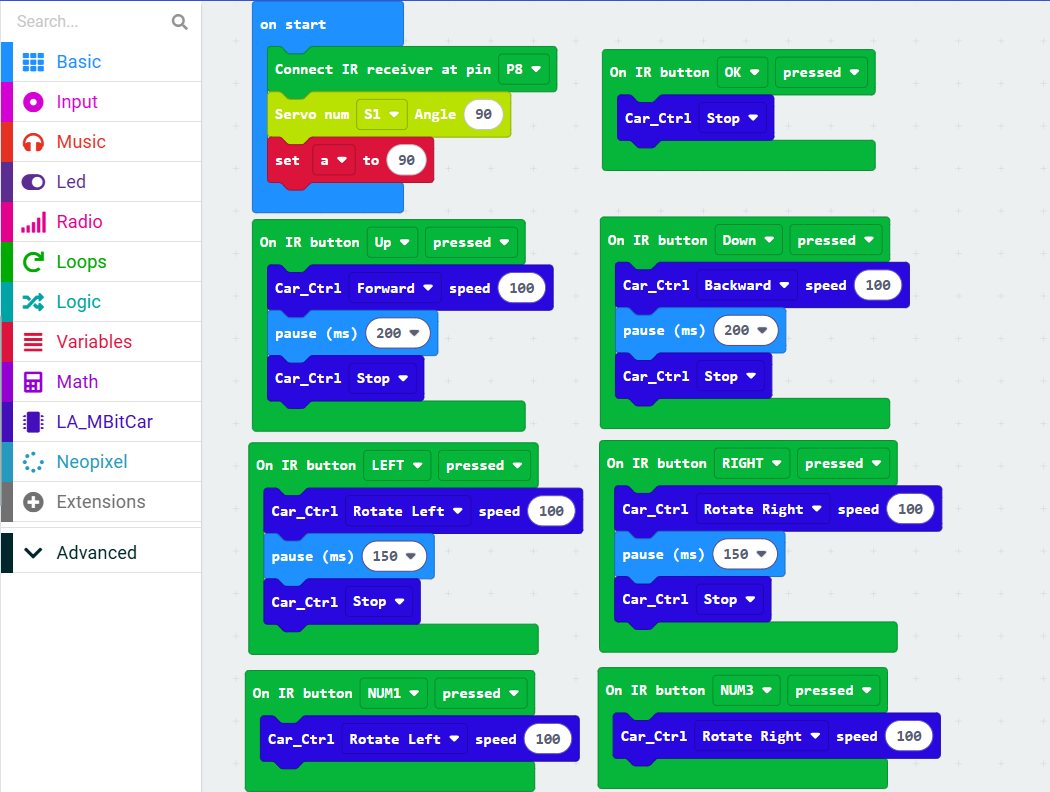
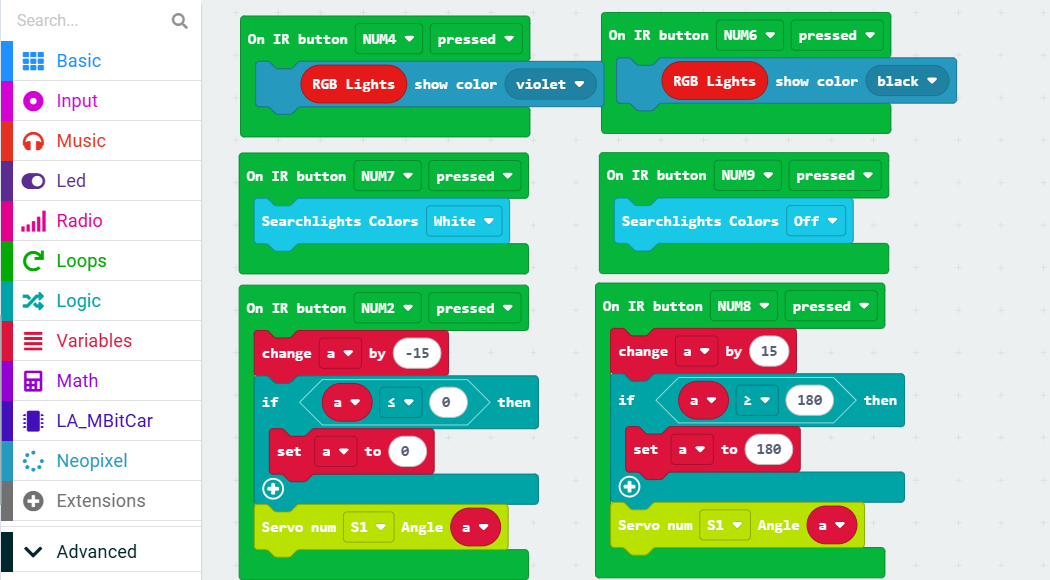
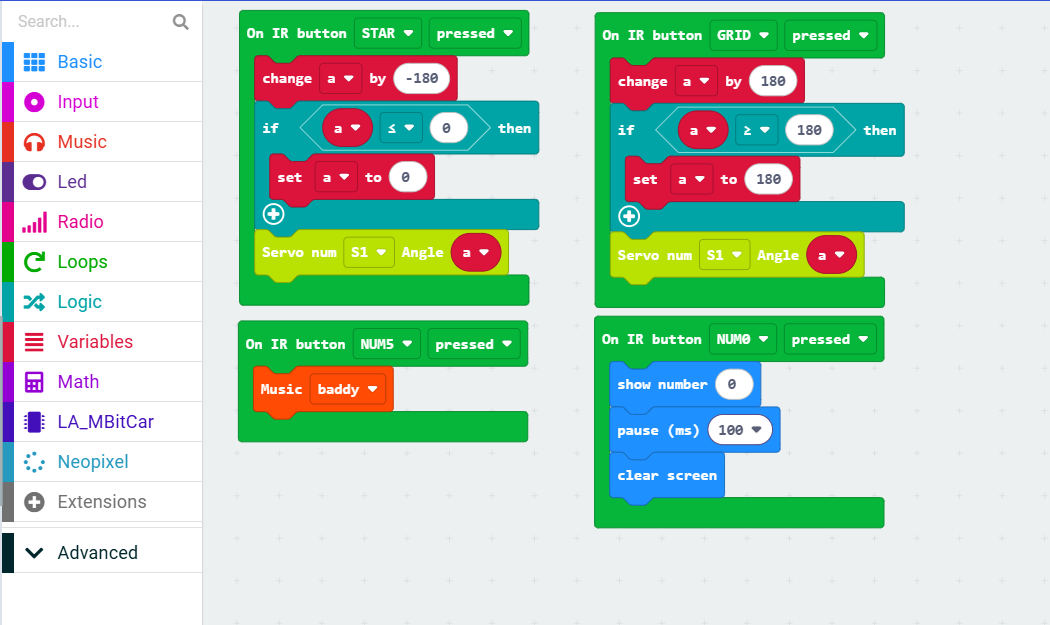
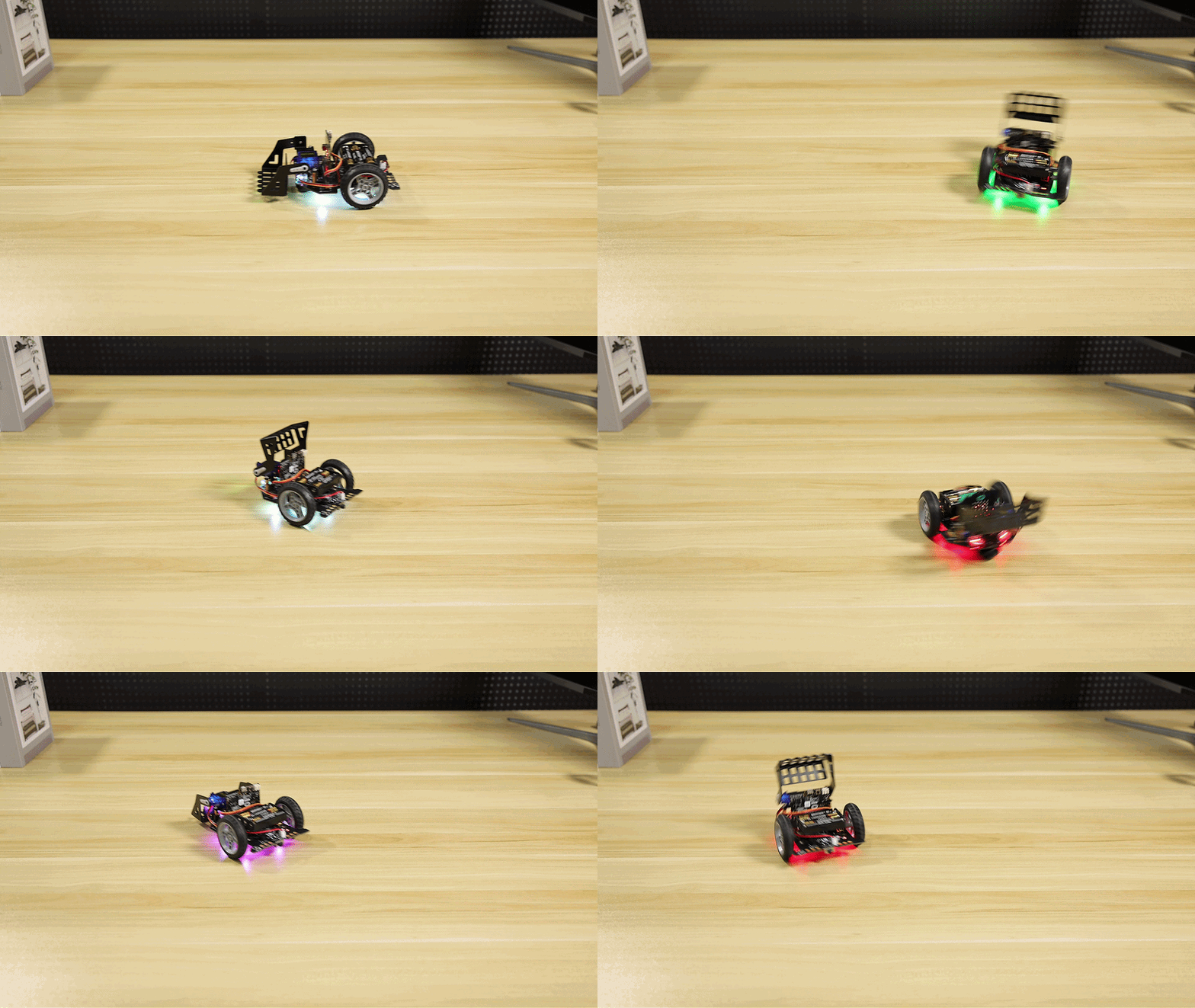
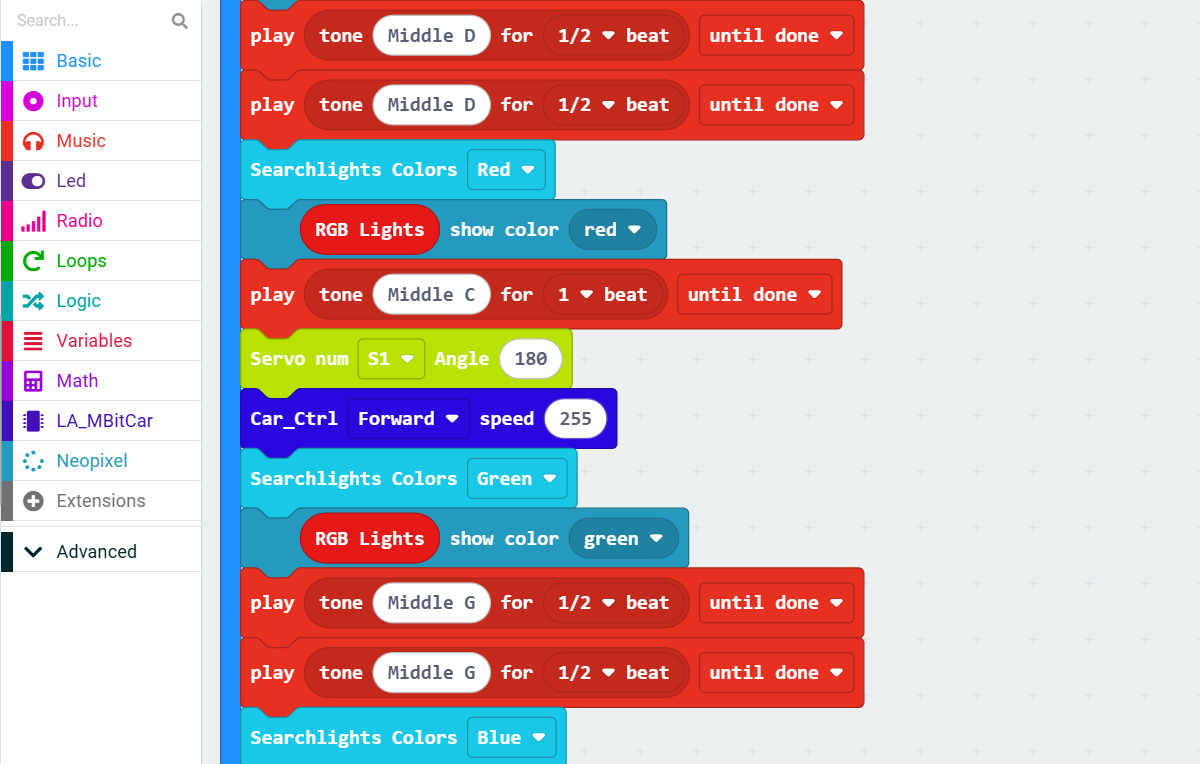
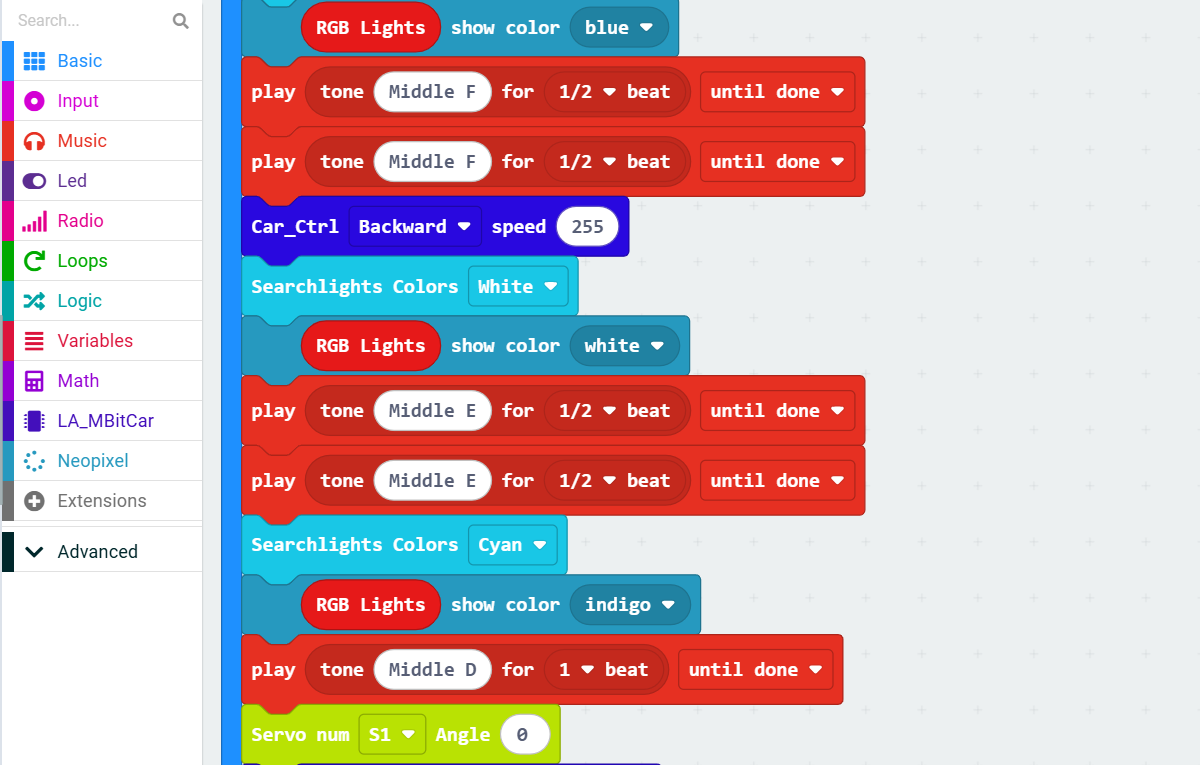
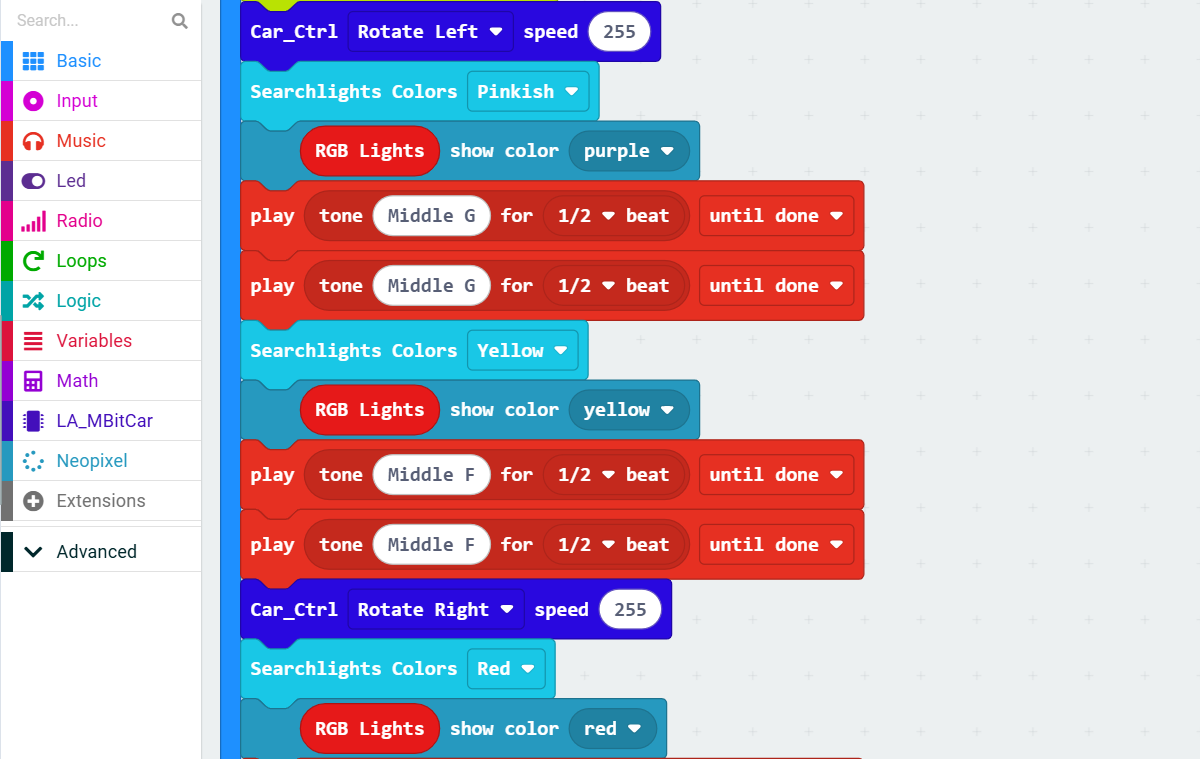
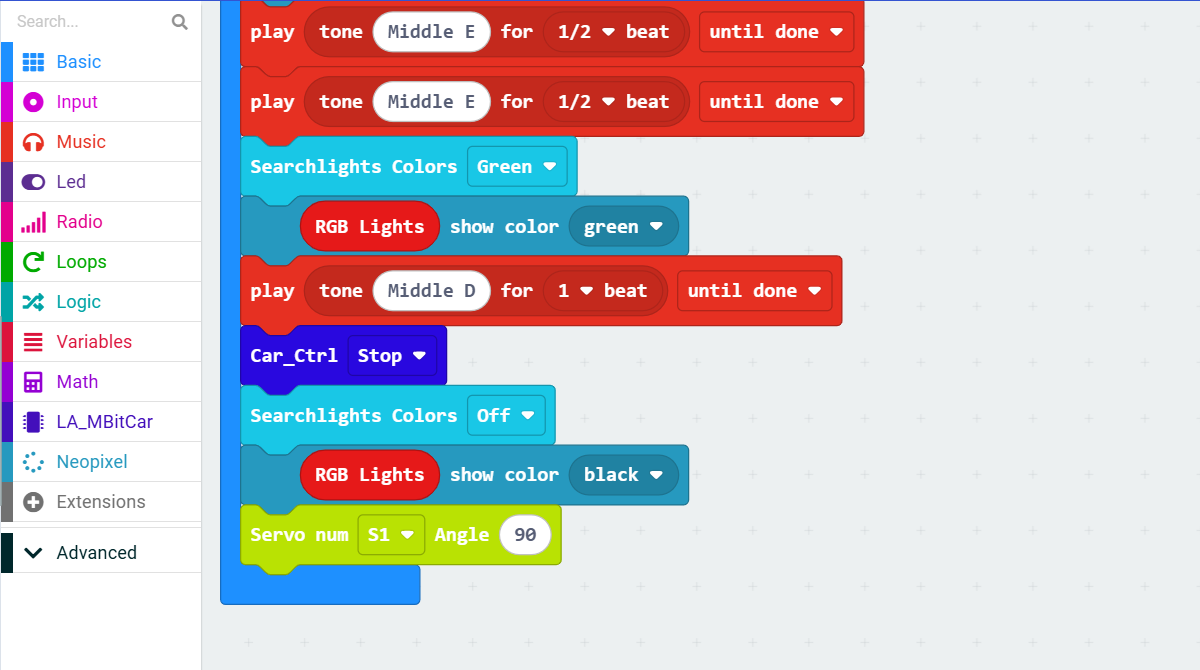
Effect: Based on our previous lessons, the vehicle utilizes various sensors and control methods to create an integrated demonstration program that showcases the vehicle’s multiple functions. (Includes customizable music for instruction)
Effect demonstration:
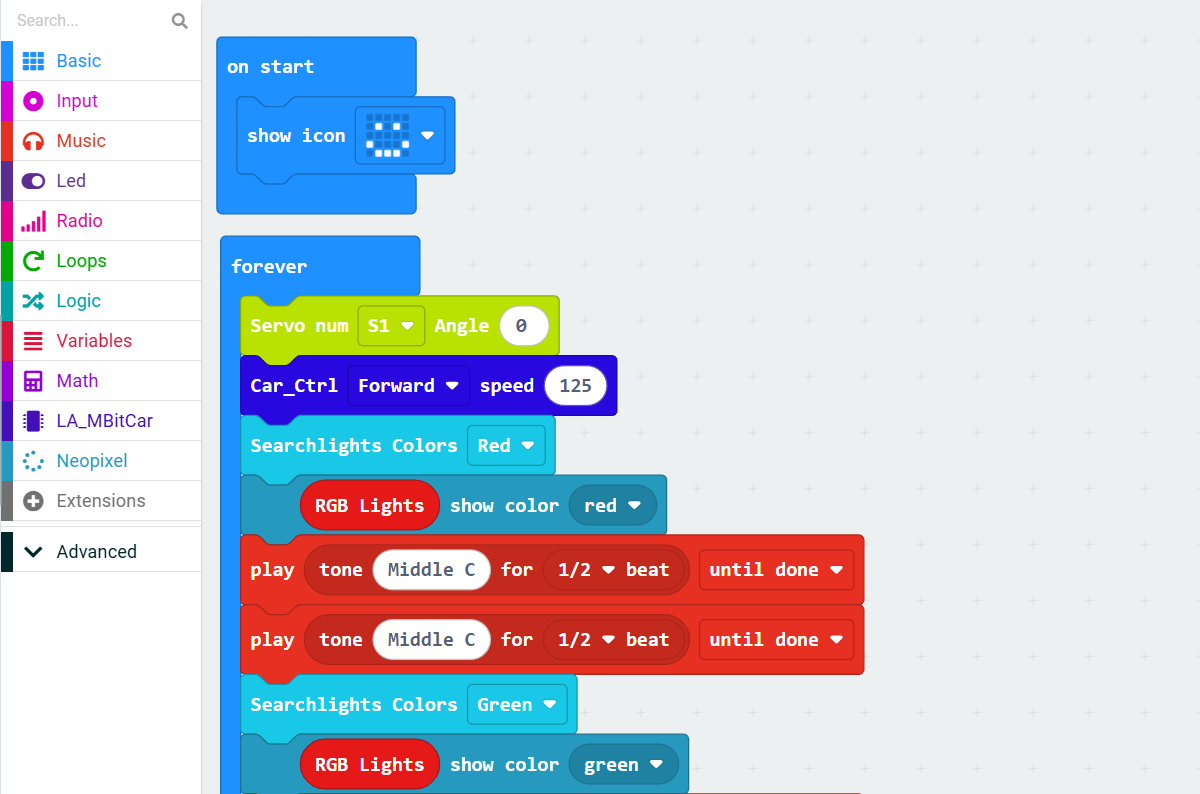
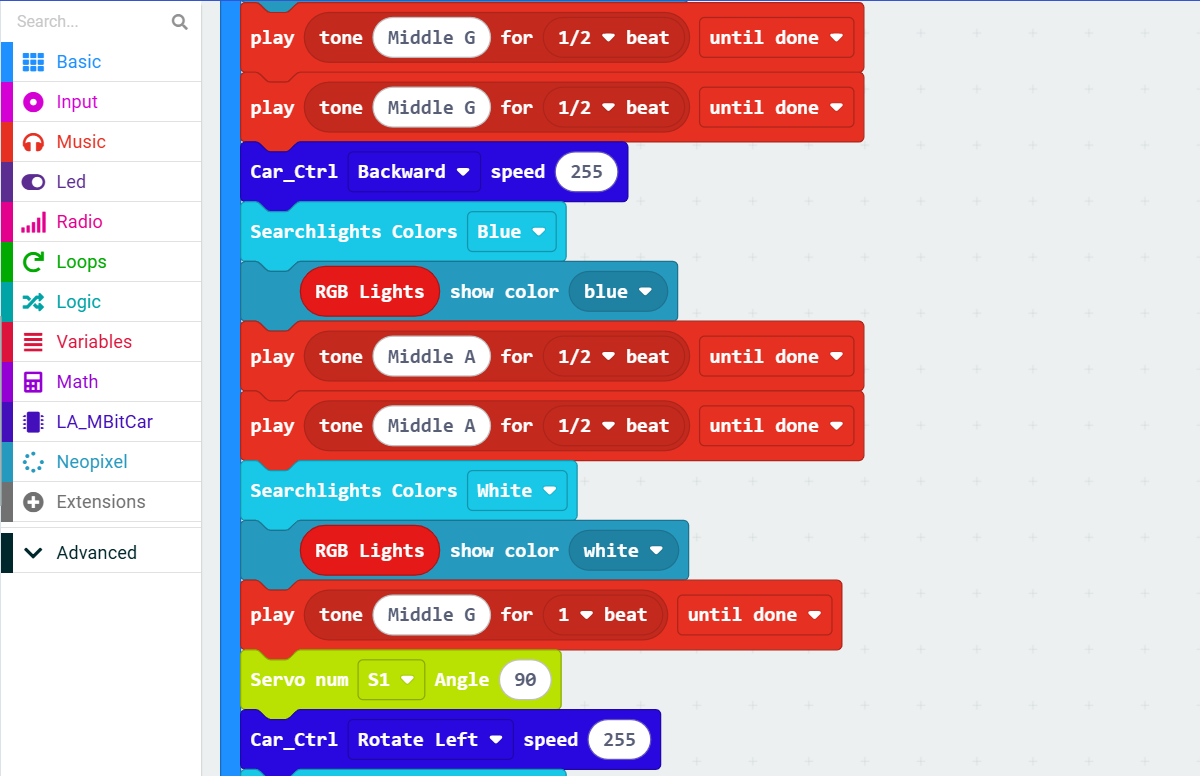
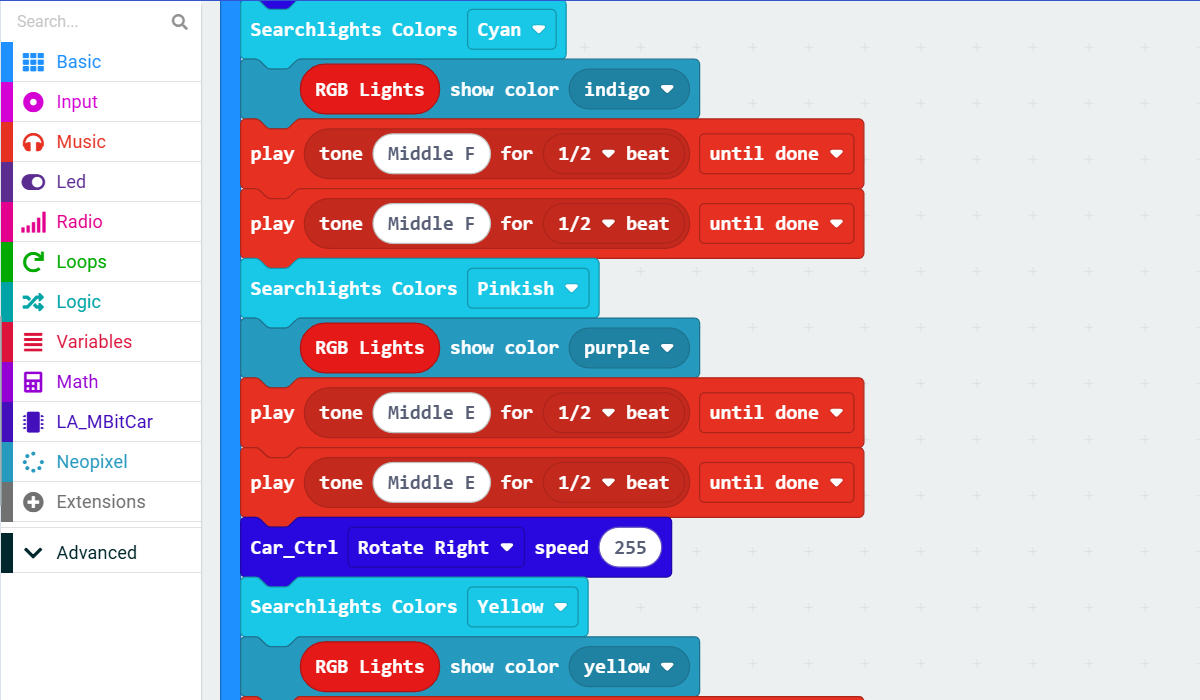
makecode program link: https://makecode.microbit.org/S81815-15231-85946-91749
Screenshot of makecode graphical interface:
13. Infrared Remote Control
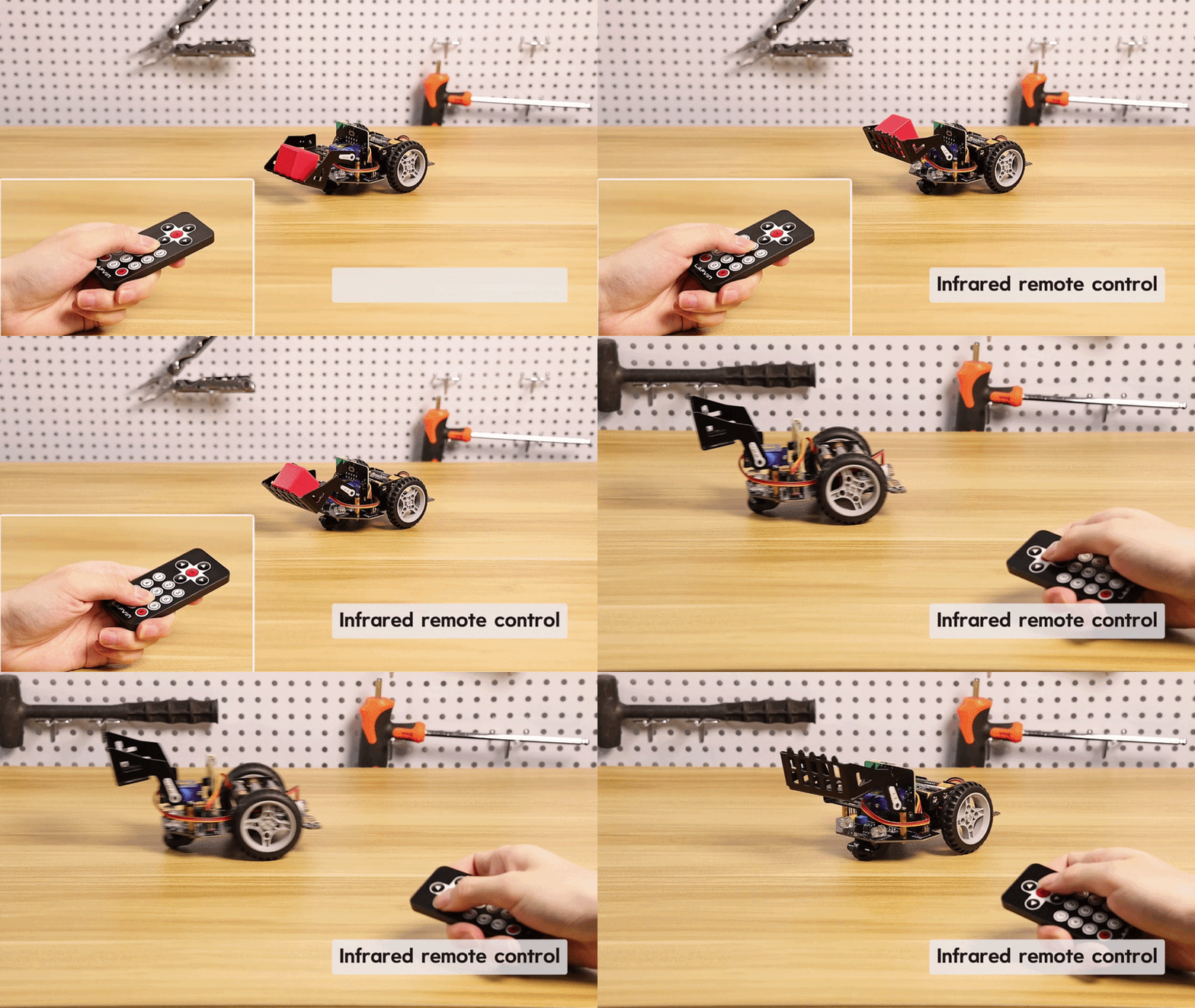
Effect: An optional infrared receiver module is installed at the front of the car. This allows the car to receive signals from an infrared remote control via programming, and different buttons can be pressed to control the car’s direction and speed, achieving a remote control effect. (This also incorporates elements from previous tutorials.)
Effect demonstration:
makecode program link: https://makecode.microbit.org/S97076-50786-20847-48807
Screenshot of makecode graphical interface: