Basic Courses for Cars
1. Motor Control
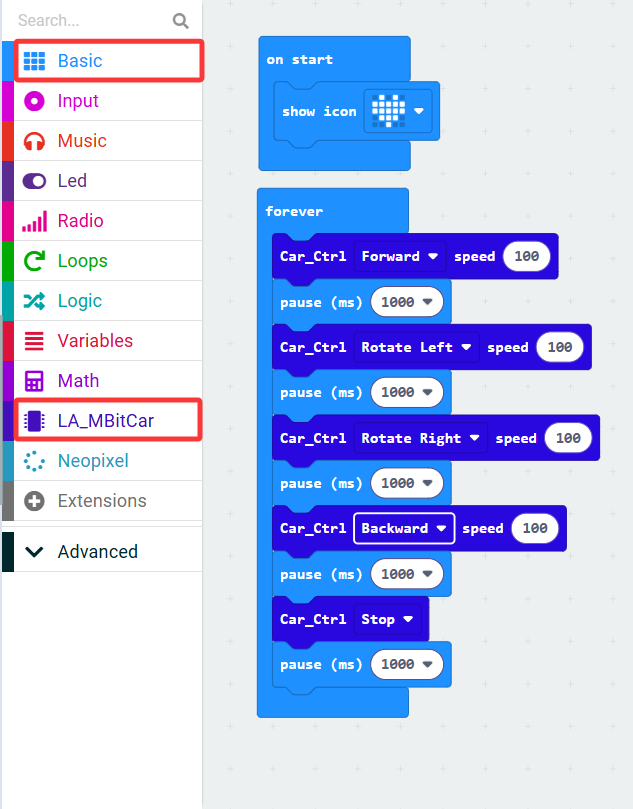
Effects: It can control the car to move forward, backward, turn left, turn right, rotate left and right, stop, etc., and the speed of the car can be set.
Effect demonstration:
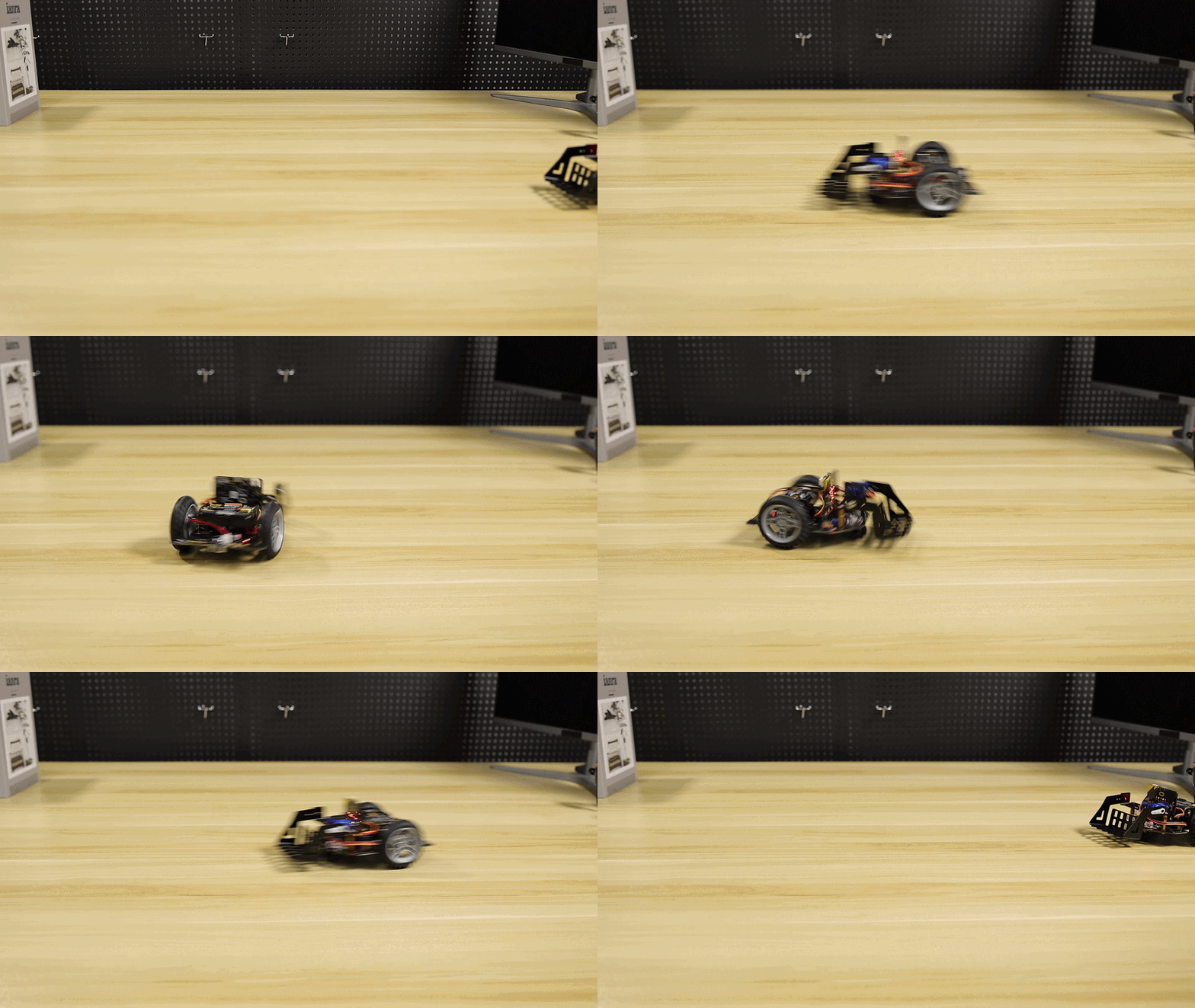
makecode program link: https://makecode.microbit.org/S95796-94350-74983-15795
Screenshot of makecode graphical interface:
2. Music Car
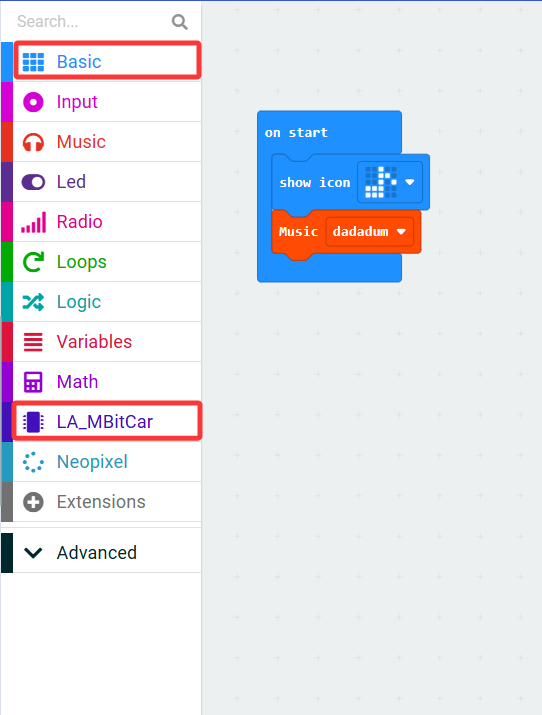
Effect: The car can play pre-set music.
makecode program link: https://makecode.microbit.org/S93528-06251-15177-28056
Screenshot of makecode graphical interface:
1. Seven-Color Searchlight
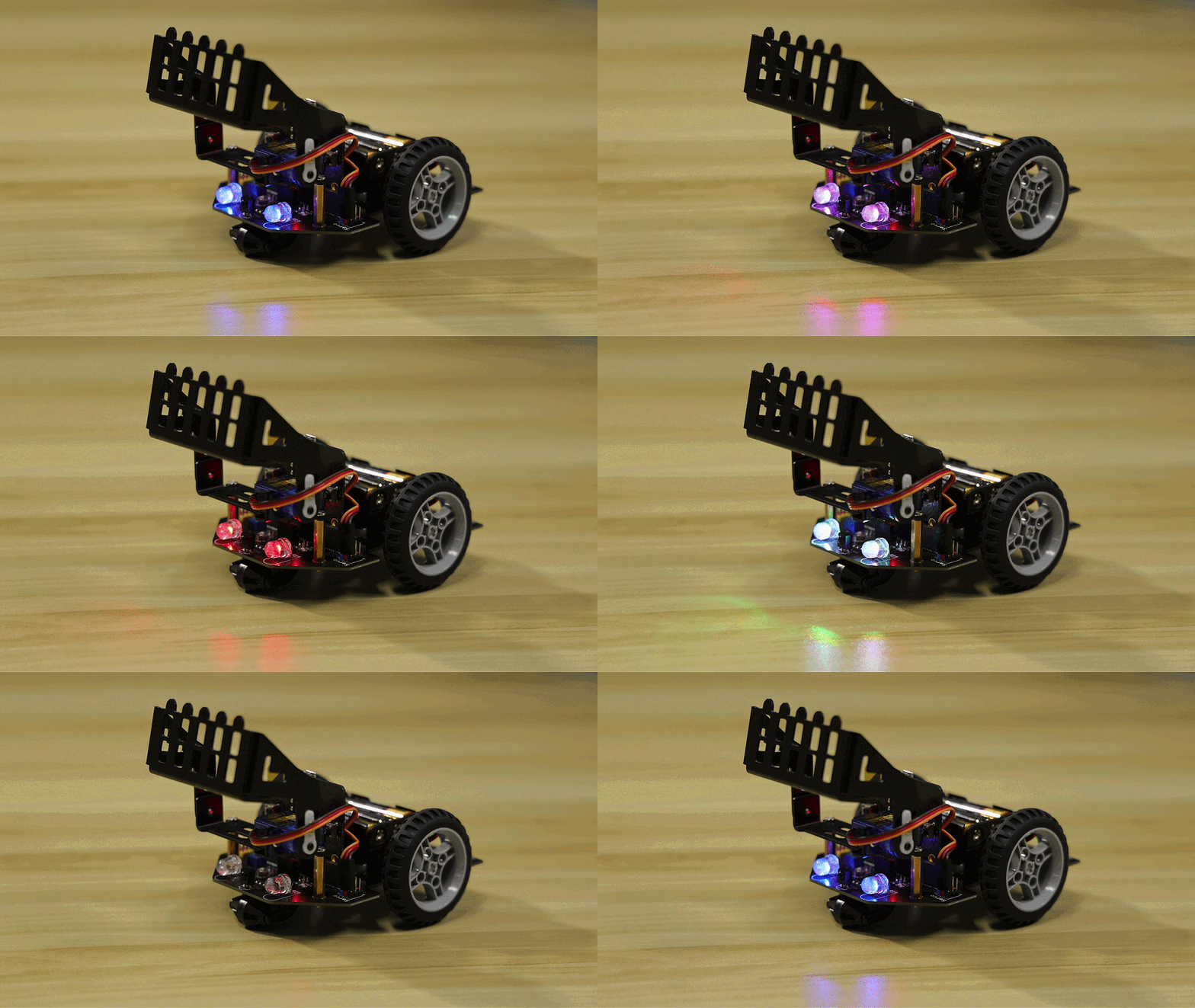
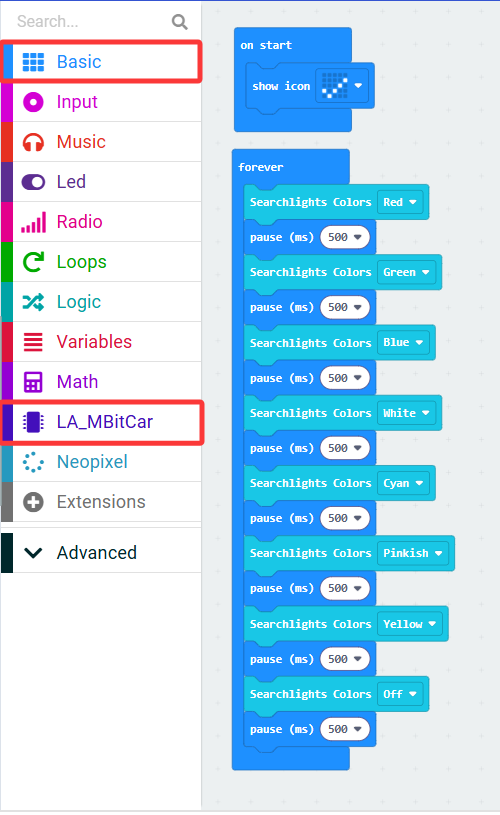
Effect: The car is equipped with two colorful spotlights on the left and right sides, and the color and flashing pattern of the lights can be controlled by programming.
Effect demonstration:
makecode program link: https://makecode.microbit.org/S48161-29282-53225-53062
Screenshot of makecode graphical interface:
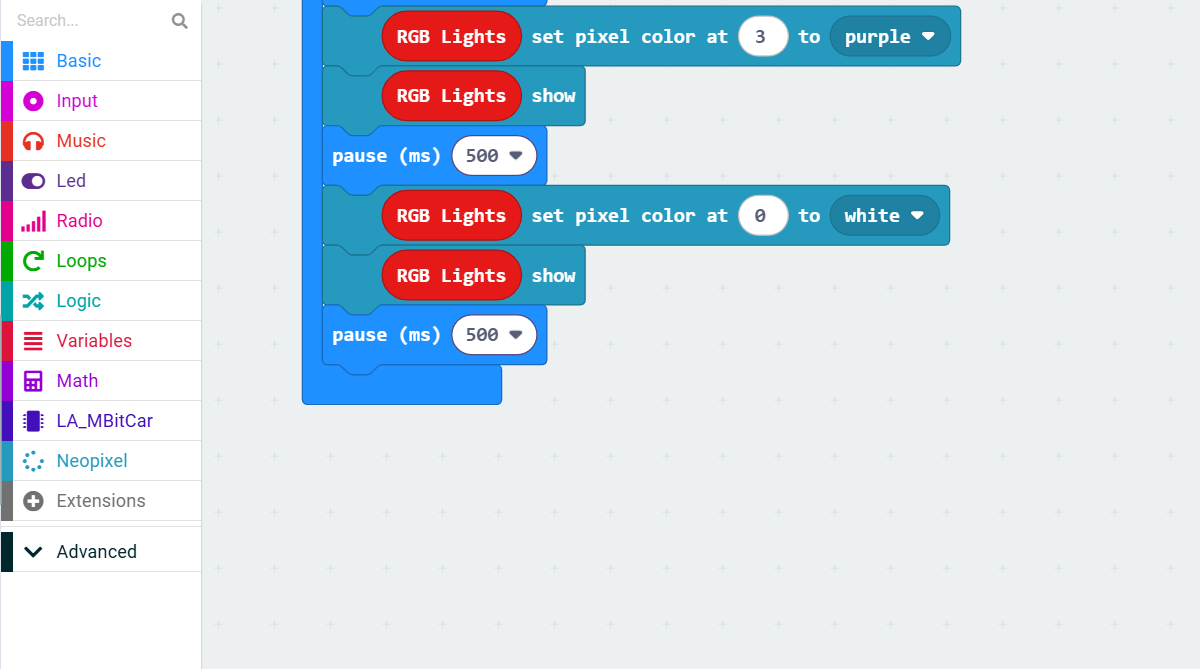
4. RGB Running Light
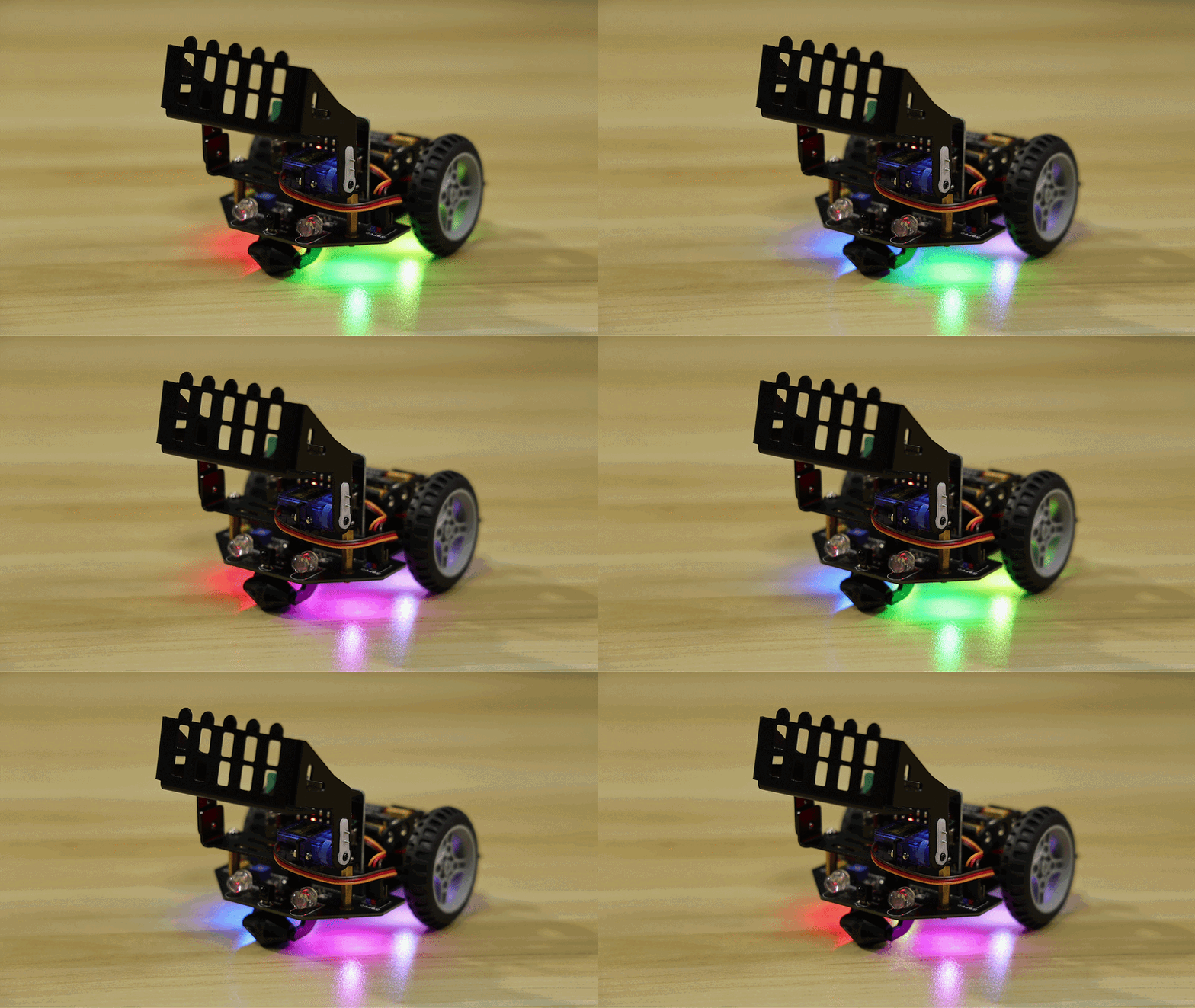
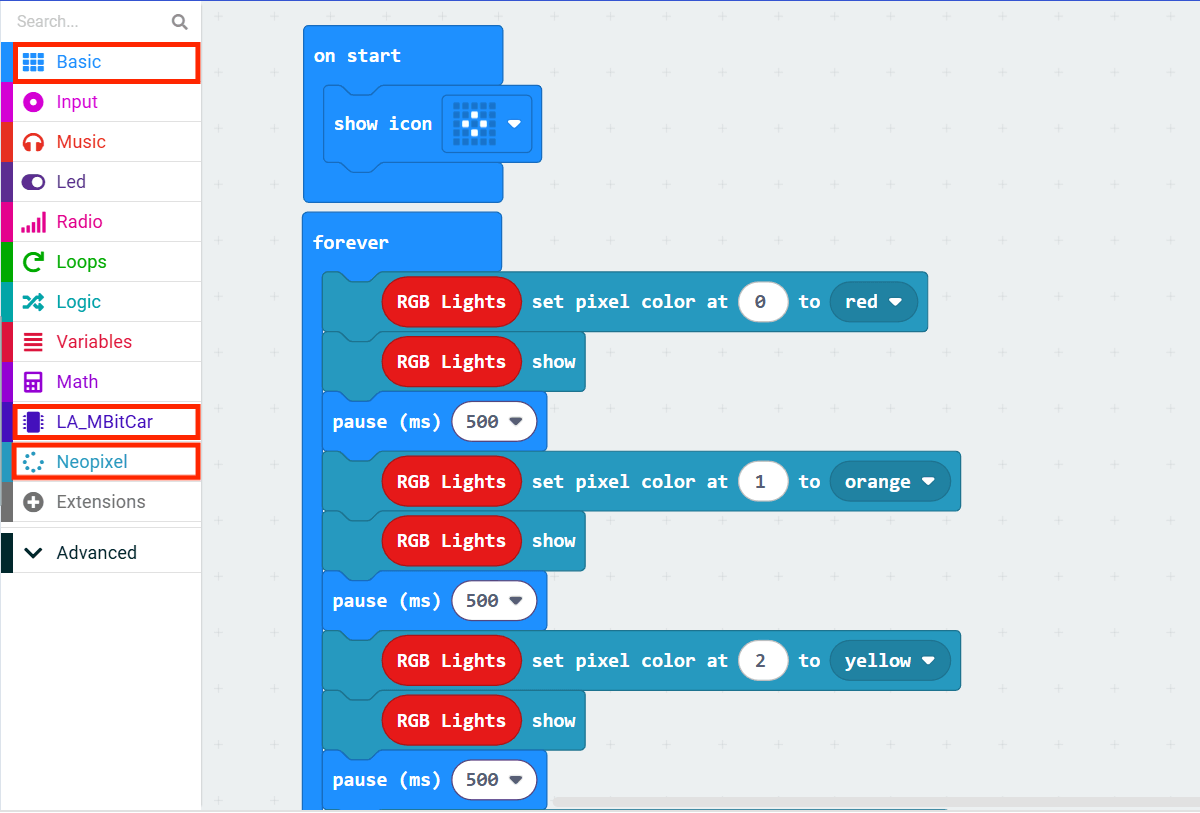
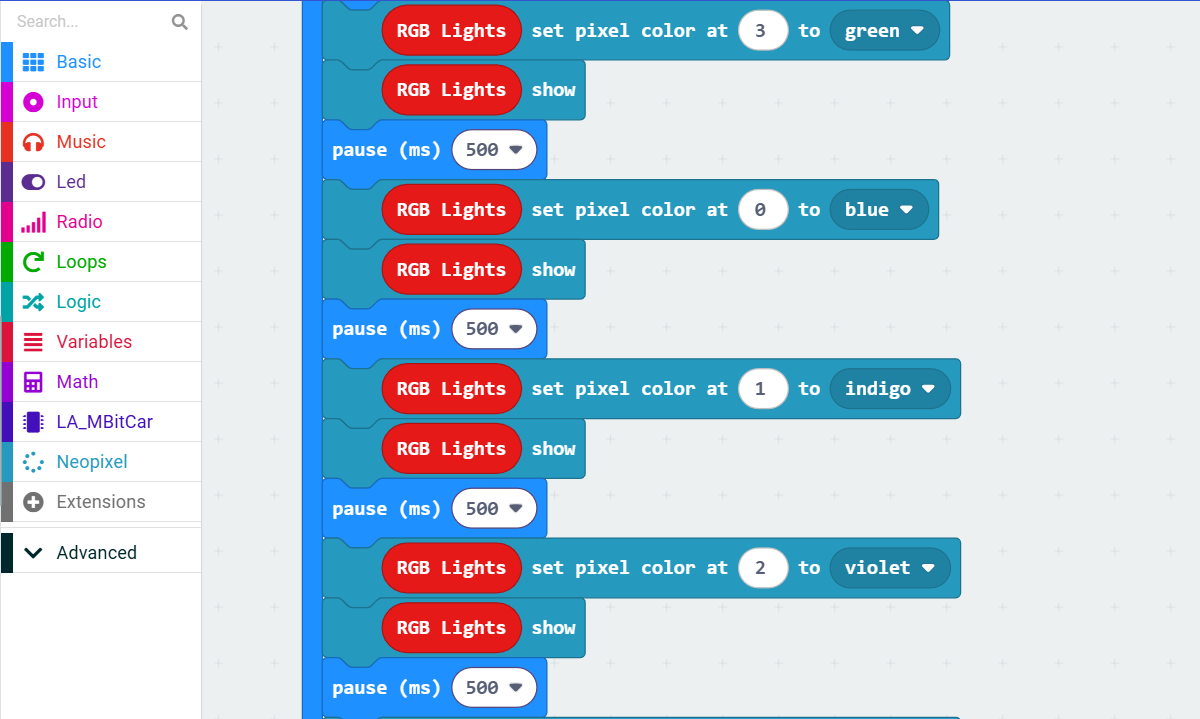
Effect: Four WS2812 lights are installed at the bottom of the car. The color and flashing mode of the lights can be controlled by programming to realize the sequential color change of the marquee.
Effect demonstration:
makecode program link: https://makecode.microbit.org/S23470-56019-18472-86312
Screenshot of makecode graphical interface:
5. RGB Breathing Light
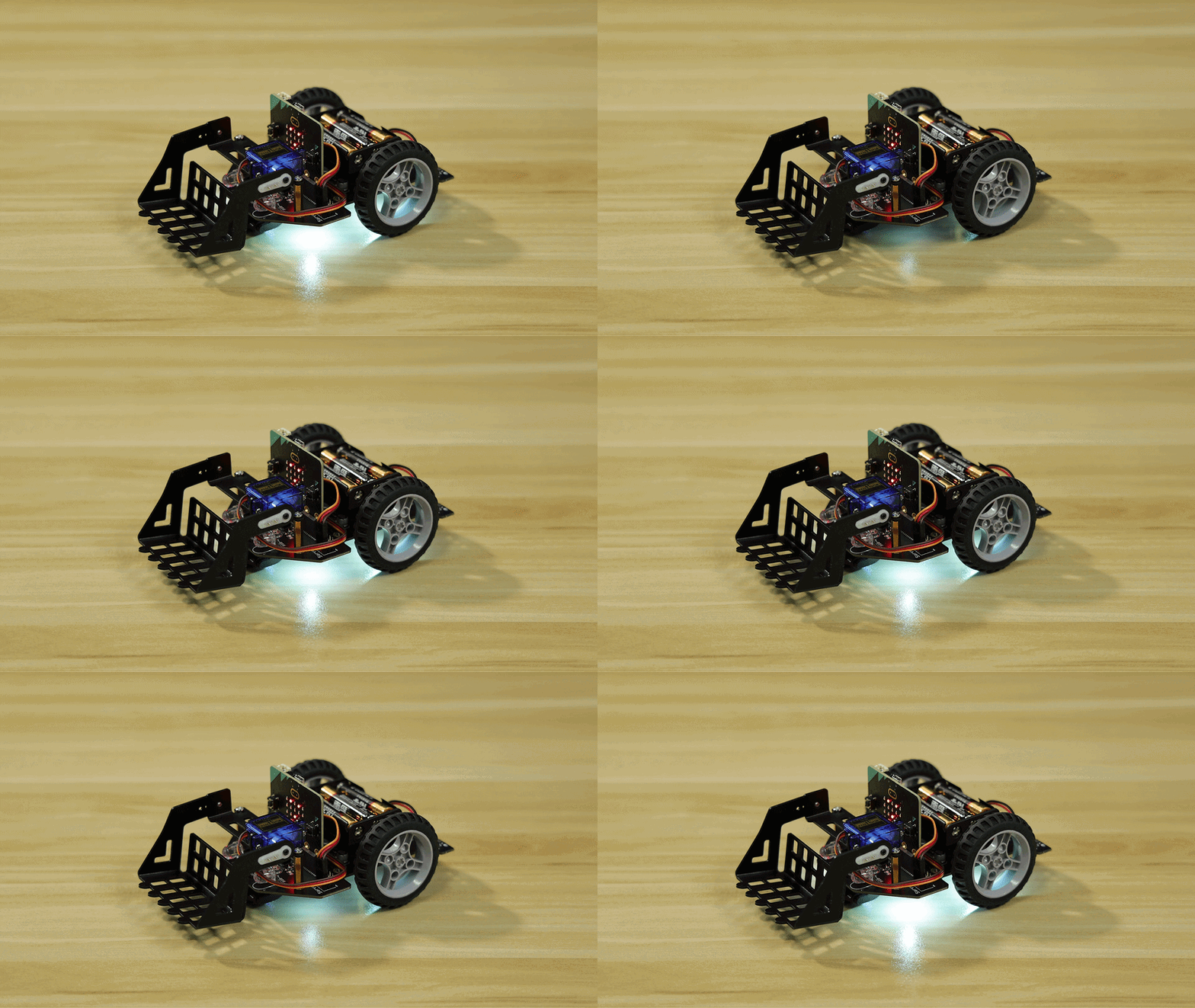
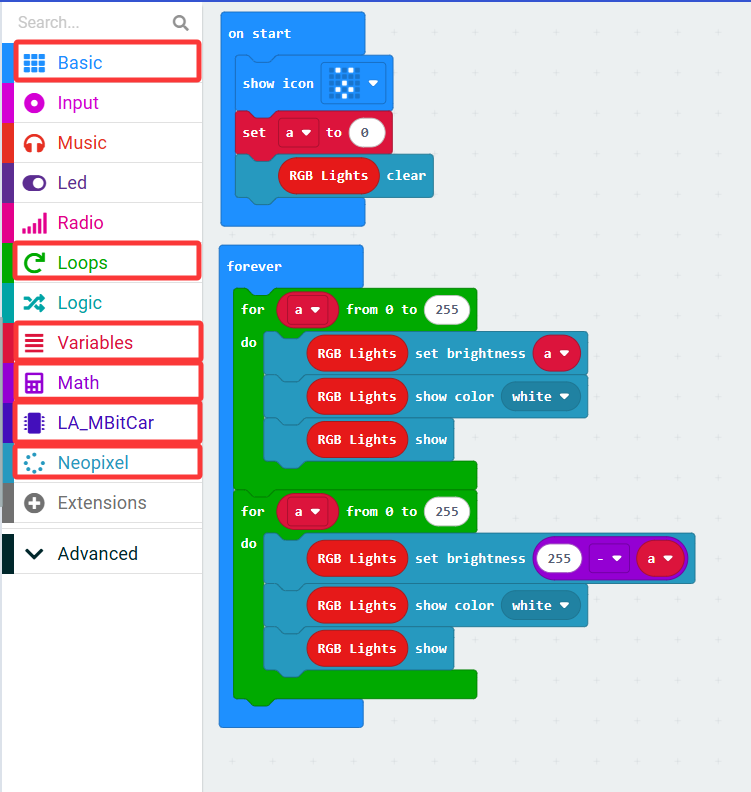
Effect: Four WS2812 lights are installed at the bottom of the car. The color and flashing mode of the lights can be controlled by programming to achieve a breathing light effect.
Effect demonstration:
makecode program link: https://makecode.microbit.org/S42098-98692-58148-98413
Screenshot of makecode graphical interface:
6. Light Tracking
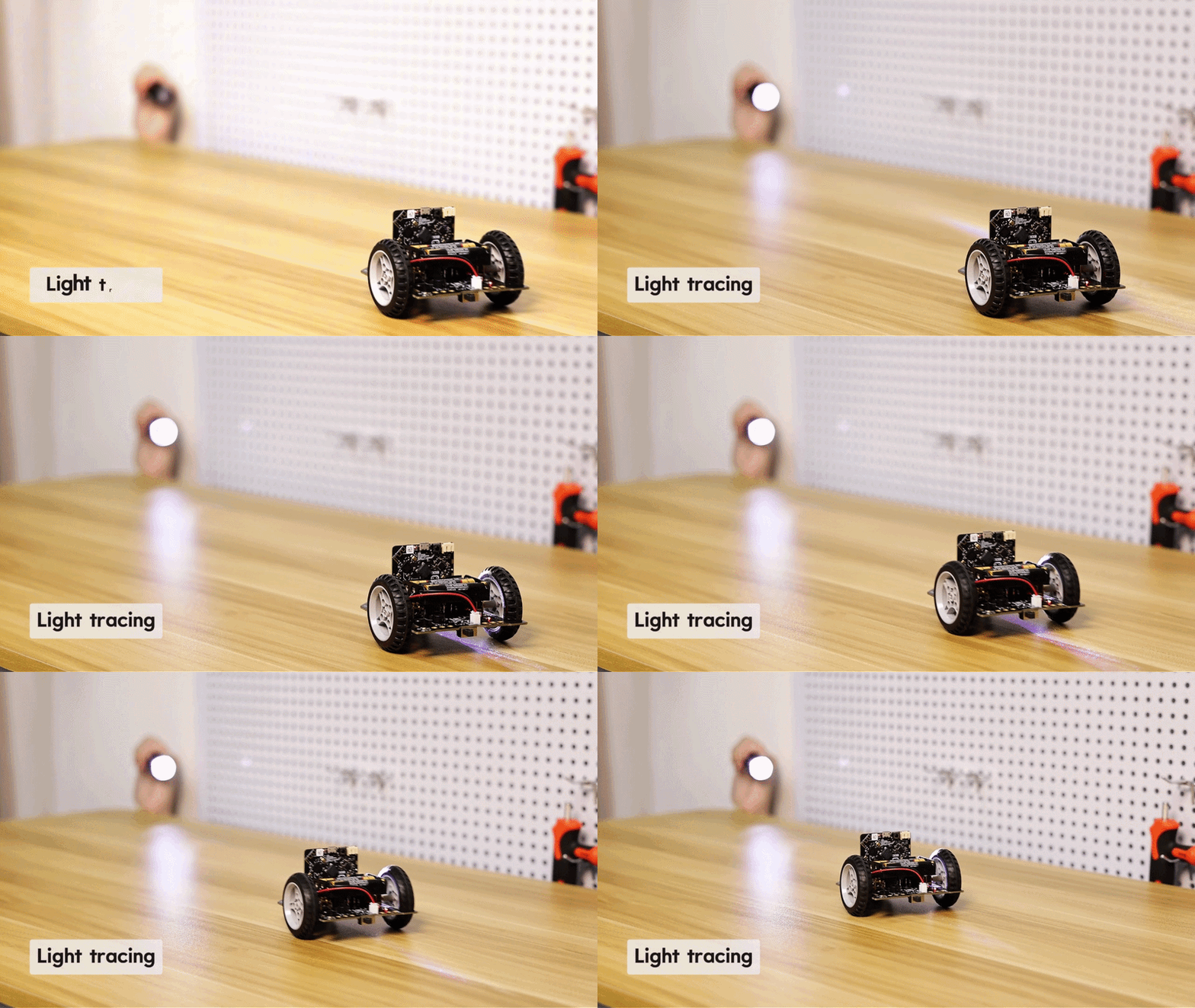
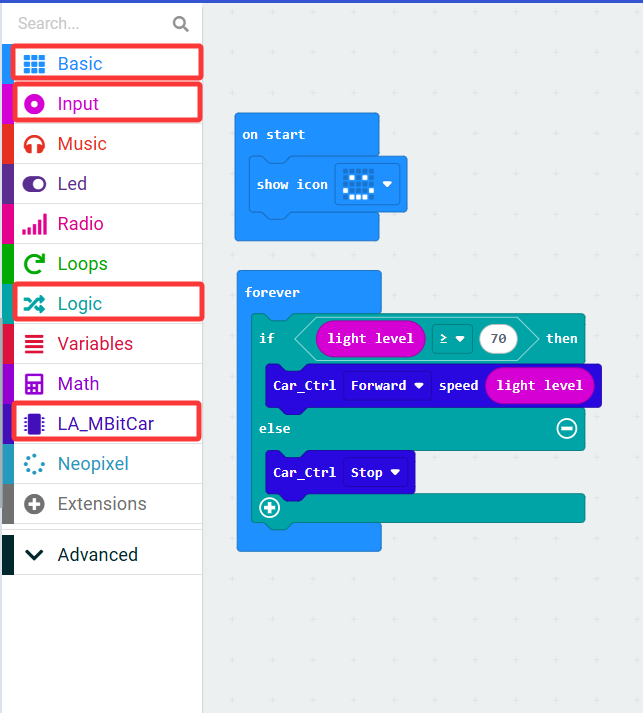
Effect: MicroBit comes with an ambient light sensor, which can be programmed to control the car to adjust its speed according to the intensity of light, thus achieving a light-chasing effect.
Effect demonstration:
makecode program link: https://makecode.microbit.org/S14523-36545-26778-18250
Screenshot of makecode graphical interface:
7. Line Tracking
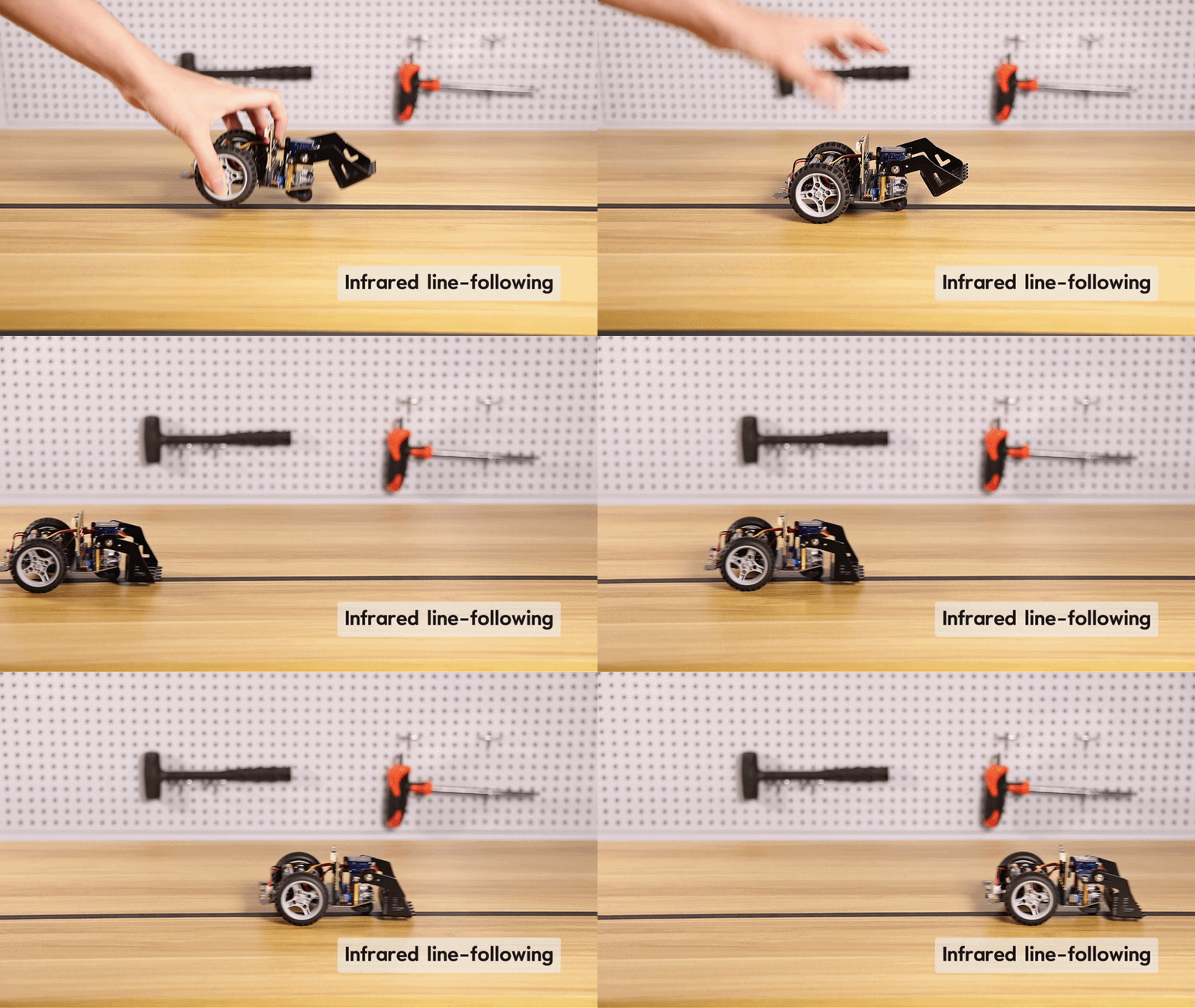
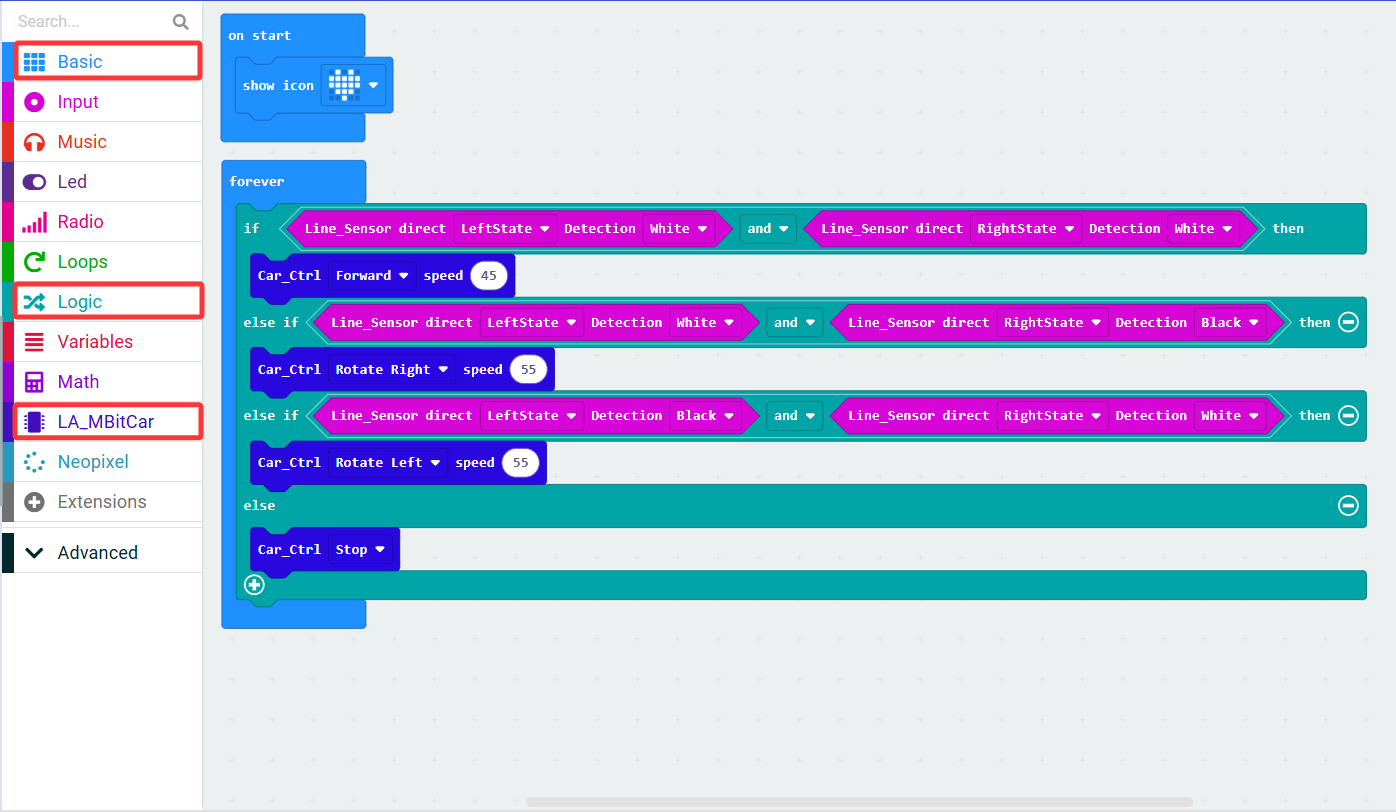
Effect: Two infrared sensors are installed on the bottom of the car. The car can be programmed to adjust its direction of travel according to the black lines on the ground, thus achieving the effect of tracking.
Effect demonstration:
makecode program link: https://makecode.microbit.org/S82467-65410-61513-88116
Screenshot of makecode graphical interface:
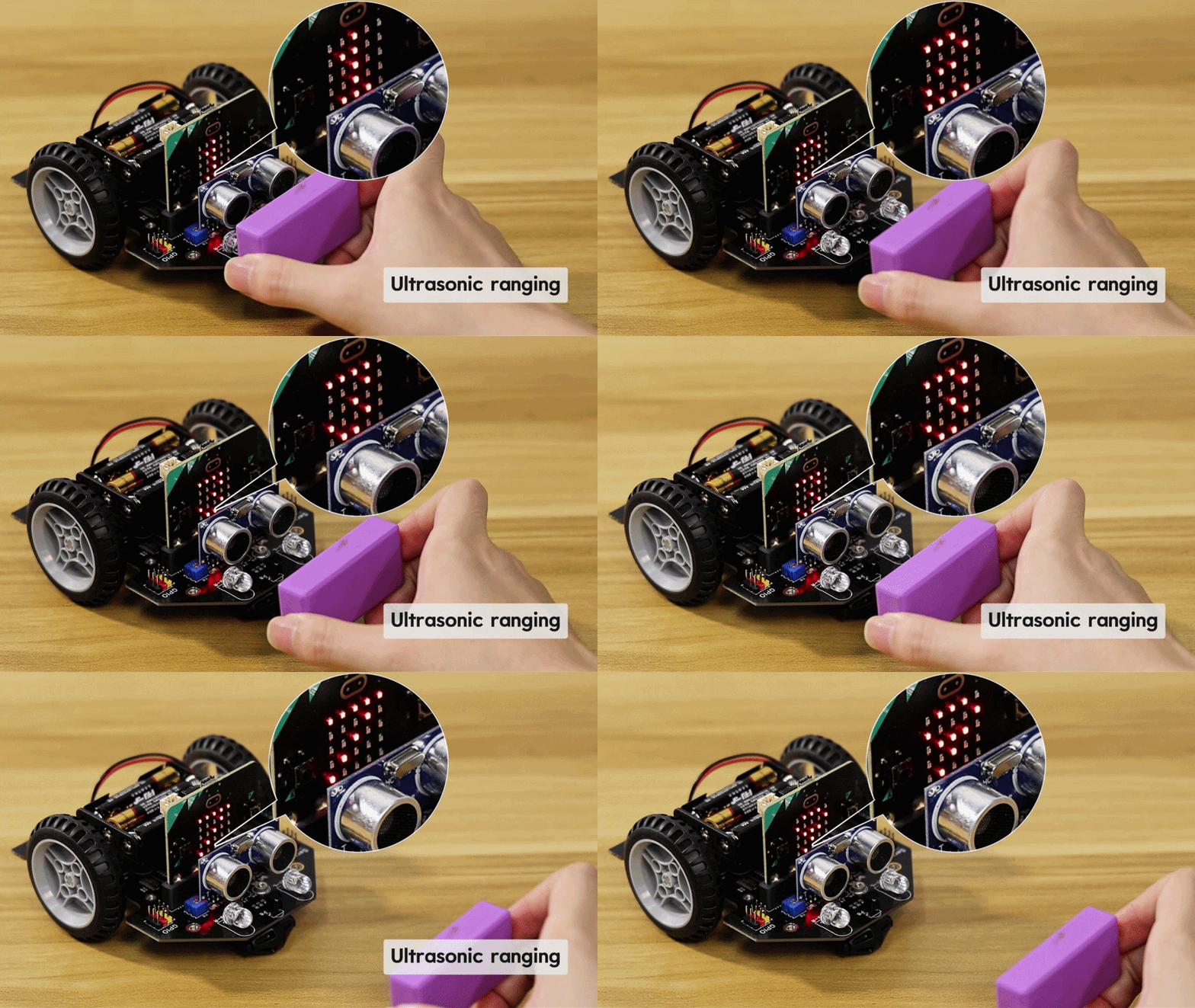
8. Ultrasonic Ranging
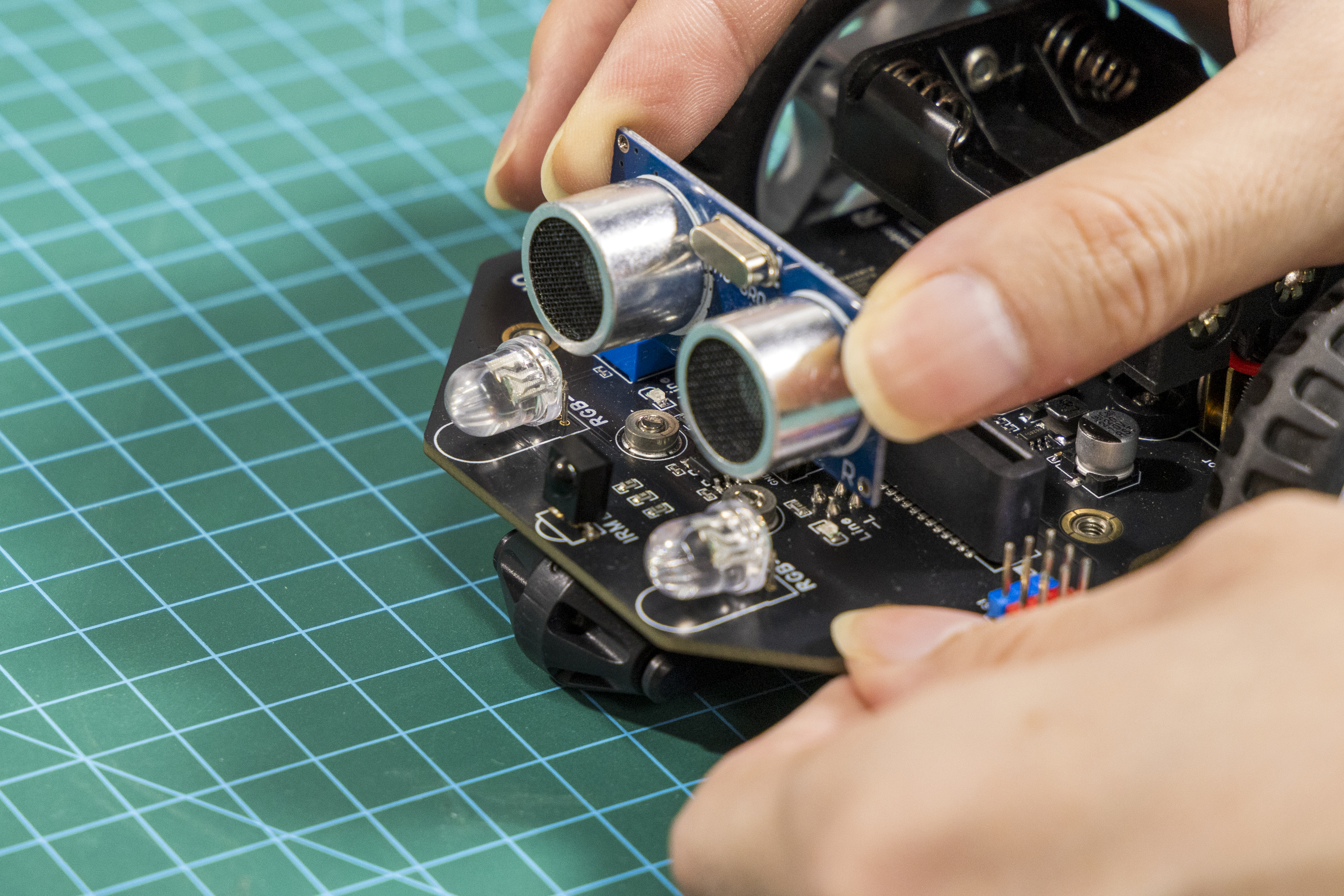
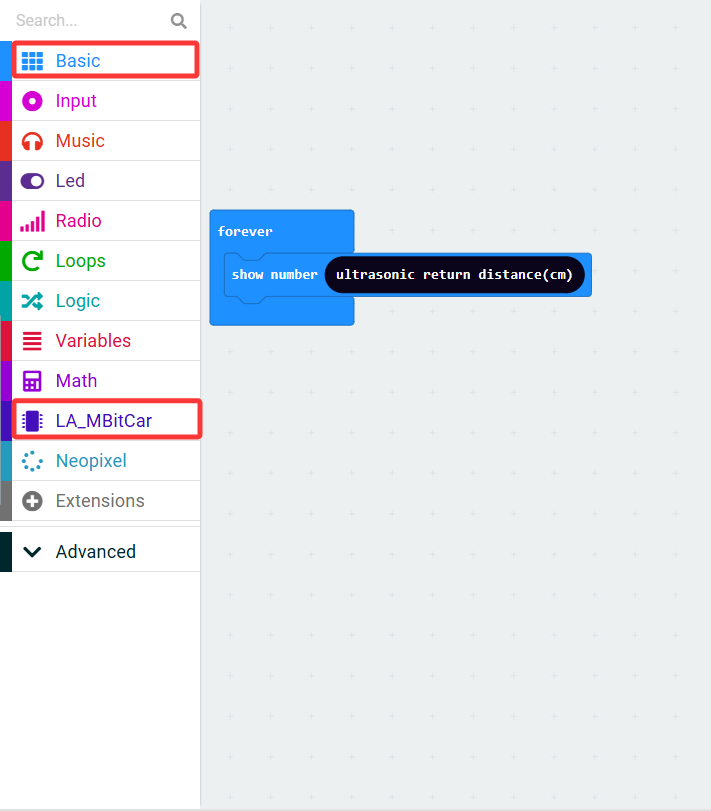
Effect: An optional ultrasonic sensor is installed at the front of the car, which can be programmed to measure the distance to obstacles in front and display the result on MicroBit’s LED screen.
Tip
Before using the ultrasonic function, you should switch to ultrasonic mode.
Effect demonstration:
makecode program link: https://makecode.microbit.org/S98856-20868-77452-43719
Screenshot of makecode graphical interface:
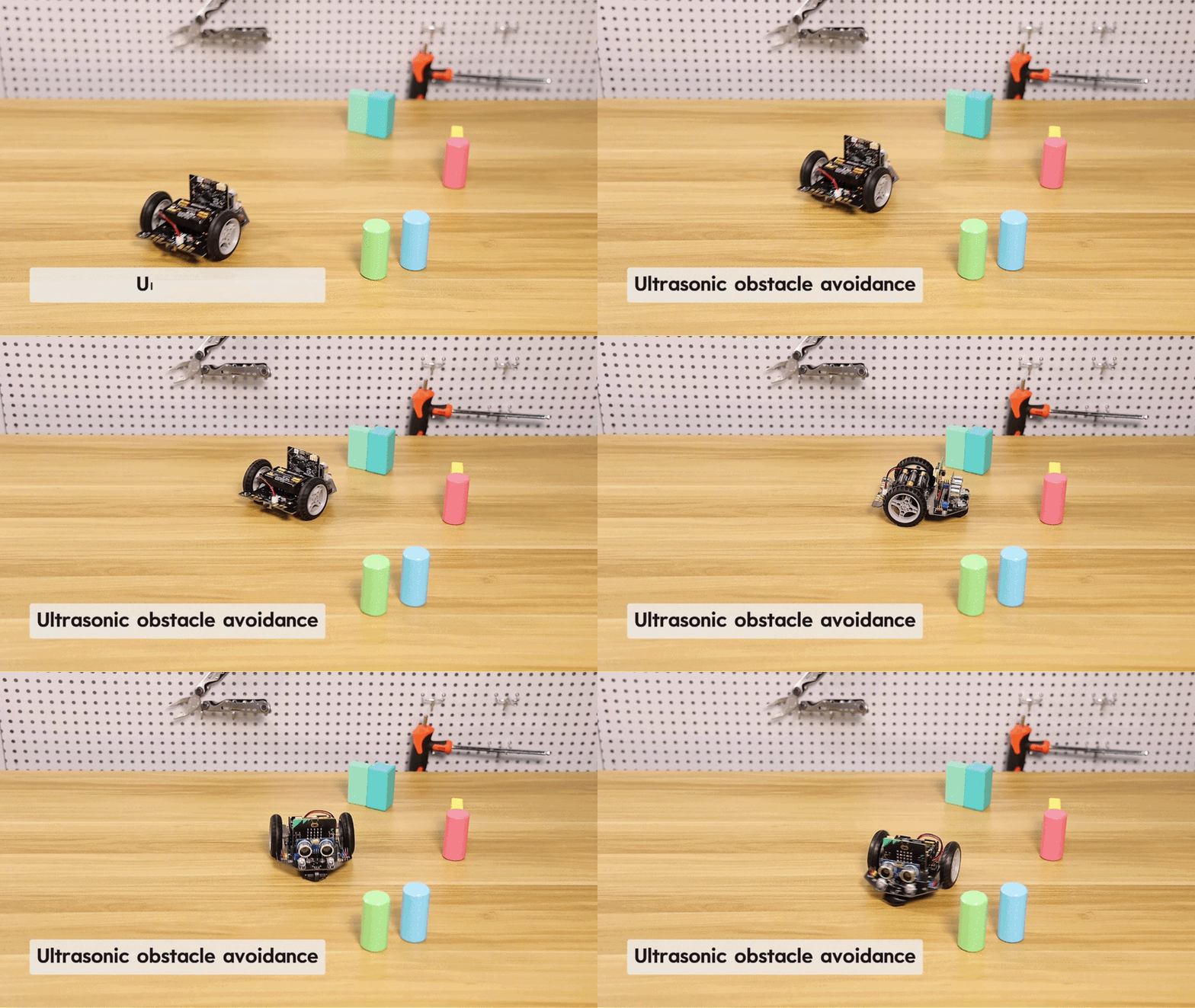
9. Ultrasonic Obstacle Avoidance
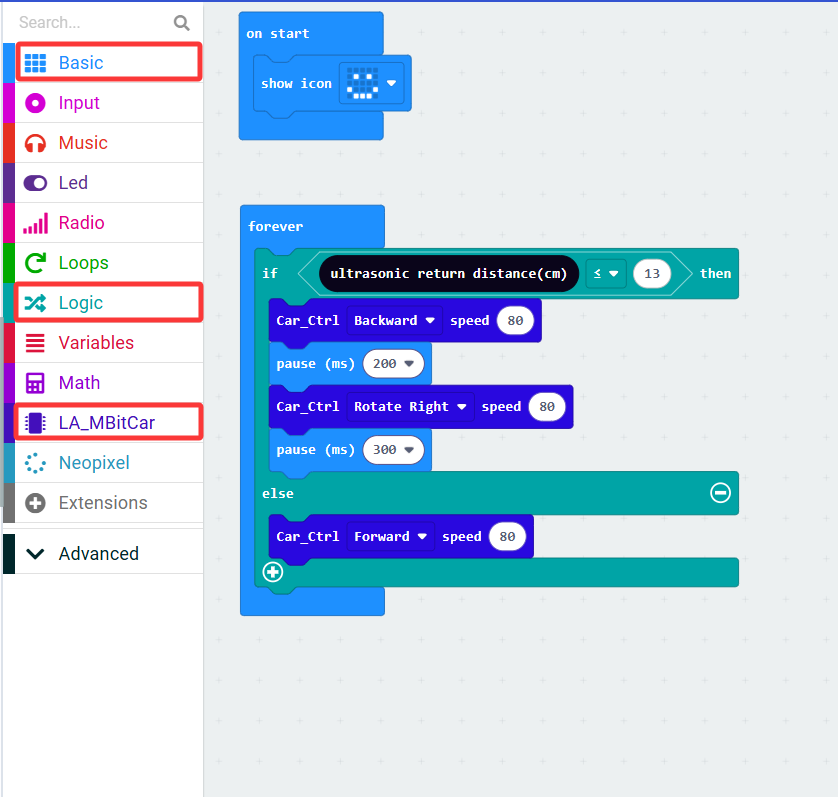
Effect: An ultrasonic sensor can be optionally installed at the front of the car. The car can be programmed to measure the distance to obstacles in front and adjust its direction of travel according to the distance to achieve obstacle avoidance.
Effect demonstration:
makecode program link: https://makecode.microbit.org/S20248-94240-76314-39688
Screenshot of makecode graphical interface:
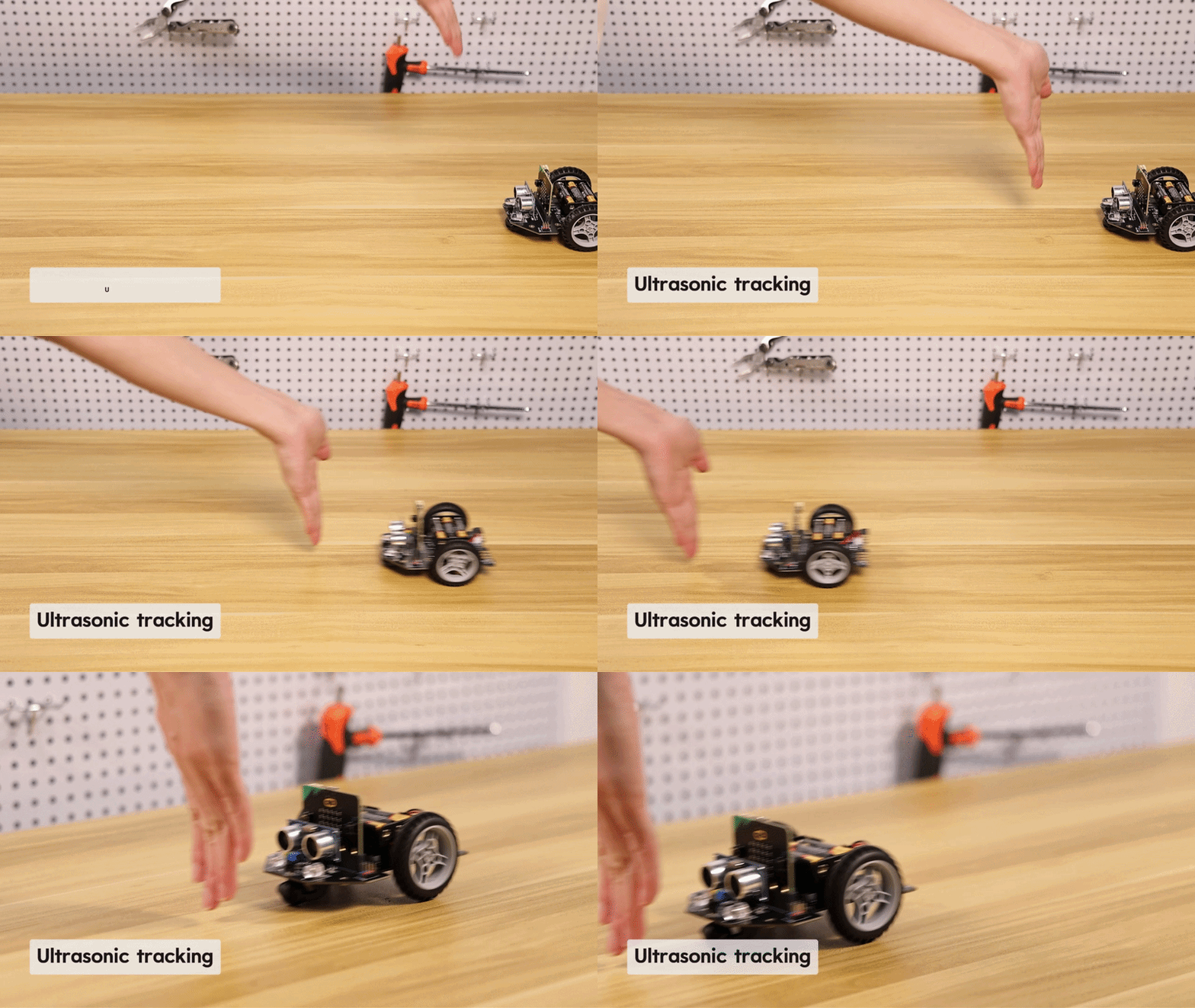
10. Ultrasonic Following
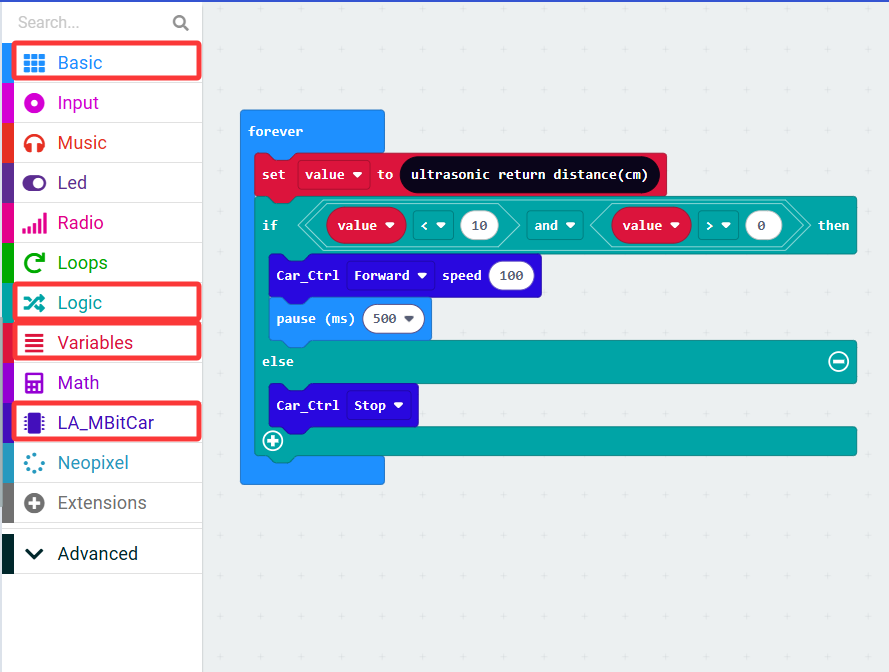
Effect: An ultrasonic sensor can be optionally installed at the front of the car. It can be programmed to measure the distance to obstacles in front of it and adjust the driving speed according to the distance to achieve a following effect.
Effect demonstration:
makecode program link: https://makecode.microbit.org/S30884-31518-90039-02970
Screenshot of makecode graphical interface:
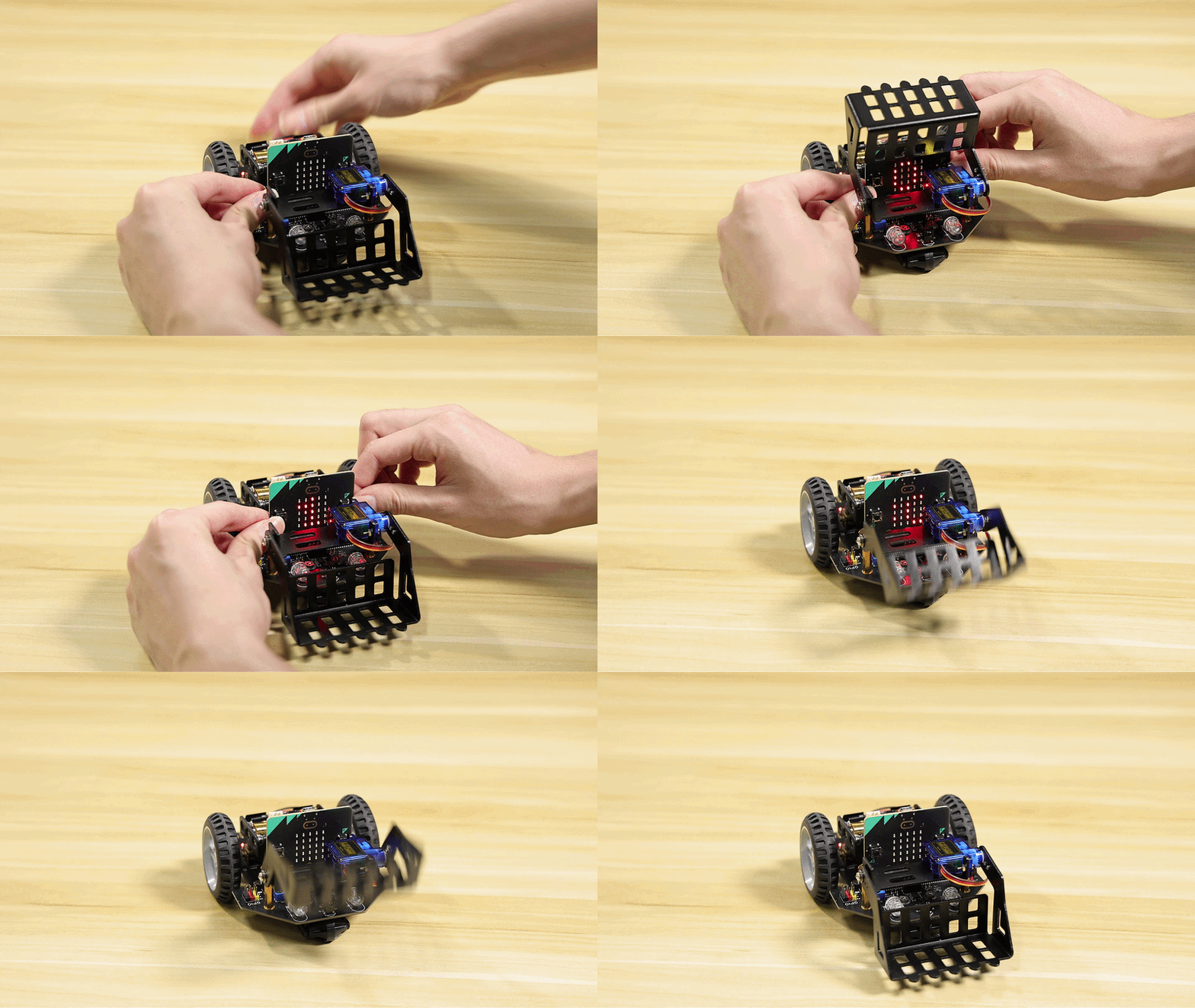
11. Servo Drive
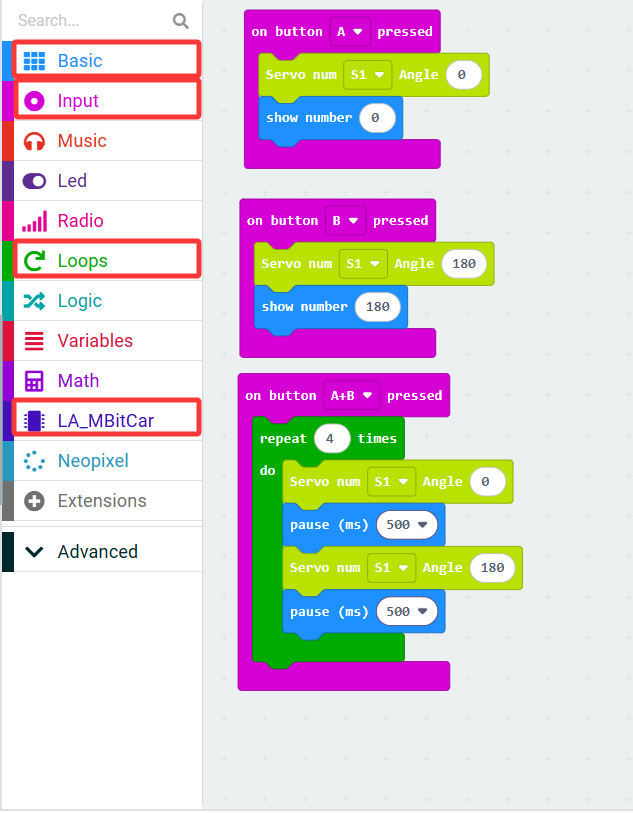
Effect: The car has a servo interface. By connecting a servo, the rotation angle of the servo can be controlled through programming to achieve some special actions.
Effect demonstration:
makecode program link: https://makecode.microbit.org/S43067-53664-12051-64290
Screenshot of makecode graphical interface:
Tip
Due to limitations in installation space, weight, and power supply for the basic/ultrasonic/forklift form factors, adjustments may be necessary. Alternatively, you can combine them with other sensors and modules to achieve richer demonstration effects. Now, unleash your creativity and create your own cool effects.